Start MindBridge Telegram Setup and Commands
How to Start MindBridge Telegram Setup and Commands: Complete private onboarding, record explicit check-ins and use every available MindBridge command.
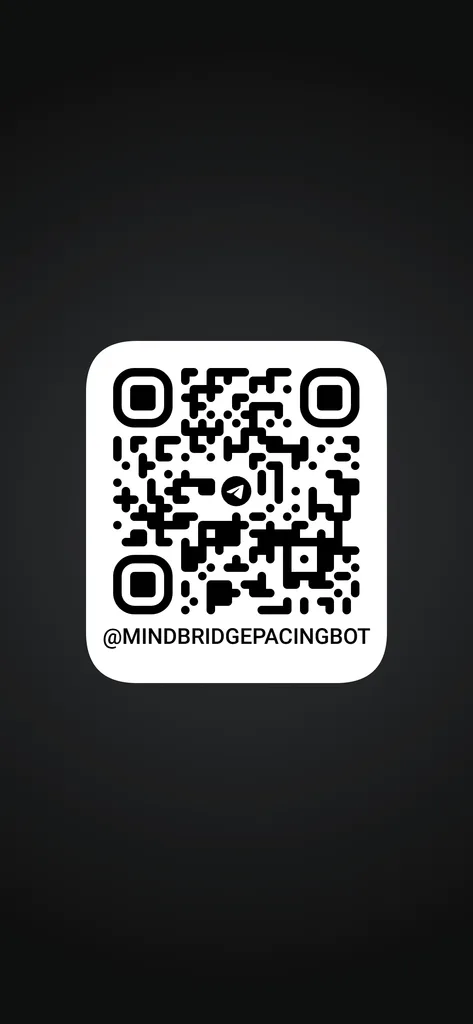
Scan on telegram to use the mini app
Also Read: MindBridge Start
How to Start MindBridge in Telegram
MindBridge is a low-pressure Telegram companion for explicit energy check-ins, gentle pacing, small behavioral experiments and appointment preparation.
It is designed for people whose capacity can change from day to day. MindBridge does not require a long daily questionnaire, enforce a productivity streak or treat rest as failure.
This guide explains how to open MindBridge, complete onboarding, write useful check-ins and use its private commands.
Also Read: Access MindBridge through Our Products
Before you begin
To use MindBridge, you need:
- A Telegram account
- Access to the MindBridge bot through StoryTimeAndConfessions
- A private Telegram conversation with the bot
- A basic understanding of the MindBridge Privacy Notice
- An understanding that MindBridge is not medical or emergency software
MindBridge should be used in a private chat. It is not designed for Telegram groups or public channels.
Start MindBridge
Follow these steps:
- Visit Our Products.
- Locate the MindBridge product card.
- Select the button to open MindBridge in Telegram.
- Press Start or send
/start. - Follow the three short onboarding prompts.
MindBridge begins with a brief setup rather than a long assessment.
Complete the gentle onboarding
Choose a name or nickname
MindBridge first asks what it should call you.
You may provide a first name, nickname or another short label. Nothing formal is required.
Avoid entering information you do not want stored in your encrypted profile.
Select a country code
MindBridge asks for a two-letter country code to improve safety routing.
Examples include:
INfor IndiaUSfor the United StatesCAfor CanadaGBfor the United KingdomAUfor Australia
You may also say skip. If the country is unknown, MindBridge uses a general international fallback rather than making a geographic assumption.
Describe what a low-energy day needs
The final onboarding prompt asks what helps when your energy is limited.
For example:
Quiet, short replies, gentle pacing, fewer questions and permission to rest.
This information helps establish the preferred interaction style.
Optional AI consent
MindBridge can operate with external-AI companion replies turned off.
Without external AI, the system can still provide:
- Encrypted profile storage
- Explicit telemetry recording
- Privacy commands
- Deterministic safety routing
- Pacing-experiment records
- Data exports and reports through the authorized workspace
If an approved AI provider is configured, send:
/consentto enable companion replies.
Send:
/nollmat any time to disable future external-AI replies.
Consent to AI processing is separate from the basic operation of MindBridge.
Read the MindBridge Privacy Notice before enabling AI.
How to write a MindBridge check-in
A useful check-in can be short.
For example:
Energy 4/10 and pain 2/10 today.
MindBridge records only values clearly connected to supported metrics.
A longer check-in might say:
Energy 3/10, pain 5/10 and noticeable brain fog. I need the evening to stay small.
MindBridge does not require every metric in every message. If mood, pain or anxiety is not stated, it should remain blank.
Examples of explicit metrics
Energy 5/10 today.Pain is 4/10 this evening.Anxiety 6/10 after the appointment.Brain fog is noticeable today.Examples that should not become symptom scores
I walked six blocks.My appointment is at 4 PM.I slept for seven hours.Those numbers are not explicitly presented as supported symptom ratings.
MindBridge commands
/start
Begins onboarding for a new profile.
After setup is complete, /start confirms that the profile already exists.
/help
Displays the available command list.
/status
Shows active System Patch experiments.
If no experiment is active, MindBridge confirms that there is nothing currently being tracked.
/privacy
Displays a short summary of MindBridge data handling.
For complete information, read the MindBridge Privacy Notice.
/consent
Enables external-AI companion replies when the operator has configured an eligible provider.
The command does not work when no approved provider is available.
/nollm
Disables future external-AI replies.
Encrypted records and deterministic functions can continue without AI.
/forgetme
Begins a confirmed deletion workflow.
MindBridge provides a short-lived confirmation step before deleting the live profile and its encryption key.
Read the MindBridge data-control information before using this command.
What are System Patches?
A System Patch is a small behavioral experiment lasting approximately three to fourteen days.
It may explore one limited question:
- Does resting before an appointment affect the following evening?
- Does splitting one task into two sessions reduce its perceived cost?
- Does protecting a quiet hour improve the afternoon?
- Does ending an activity earlier change the following day?
System Patches are observations, not medical treatments.
Partial days, stopped experiments and missed check-ins remain useful information. MindBridge does not frame them as failure.
How appointment preparation works
The authorized MindBridge workspace can prepare deterministic summaries from recorded self-reports.
Available outputs may include:
- An SBAR-style summary for a doctor
- A SOAP-inspired pacing summary for a psychologist
- A PDF report
- A JSON data export
These reports summarize stored observations. They do not diagnose conditions or recommend treatment.
What to expect from response times
Telegram messages are processed through a protected background queue. Most replies should arrive shortly, but timing can depend on hosting resources, scheduled tasks, Telegram availability and the configured AI provider.
Avoid repeatedly sending the same message while one is processing. Duplicate commands can produce duplicate replies.
If a response remains unavailable, use the StoryTimeAndConfessions contact page. Never include passwords, API keys, bot tokens or other credentials in a support message.
Tips for using MindBridge effectively
- Keep check-ins short when energy is limited.
- State numeric metrics explicitly.
- Do not feel obligated to report every metric.
- Use one System Patch question at a time.
- Review trends before appointments.
- Disable AI whenever preferred.
- Avoid sharing unnecessary identifying information.
- Use
/forgetmeonly after understanding the deletion process. - Contact local emergency services when immediate help may be needed.
Frequently asked questions
Do I need to check in every day?
No. MindBridge does not require a daily streak. Blank days are not treated as failure.
Can I use MindBridge without AI?
Yes. Core encrypted records and deterministic functions can operate without external-AI replies.
Can MindBridge diagnose the cause of fatigue?
No. MindBridge is not a diagnostic tool.
Can MindBridge recommend medication?
No. Medication and dosage decisions belong with qualified professionals.
Why did MindBridge not record a number?
A number must be explicitly connected to a supported metric. Incidental numbers are intentionally rejected.
Can I stop an experiment early?
Yes. Stopping early is valid information and should not be treated as failure.
How do I delete my profile?
Send /forgetme and complete the confirmation process.
Where can I access MindBridge?
Visit Our Products and select MindBridge.
Begin with one small message
MindBridge is designed to reduce effort, not create another demanding routine.
Your first check-in can be as simple as:
Energy 4/10 today. I need a quiet evening.
Start MindBridge through Our Products
MindBridge is not emergency, diagnostic or medical-treatment software.
Review the MindBridge Safety Guide before use.
Follow Us On Social Media:
[telegram bot api, telegram api, telegram search bot, search bot telegram, github, telegram web, telegram bot token, telegram bots, python telegram bot, telegram premium bot, telegram video downloader bot, youtube to mp3 telegram bot, telegram login, how to create telegram bot, grok bot, grok, telegram dating bot, truecaller bot telegram, telegram bot father, zlibrary telegram bot, truecaller telegram bot, file to link telegram bot, terabox bot telegram, biblioteca secreta, biblioteca secreta bot telegram, teleraptor telegram bot, teleraptor, file to link telegram bot, biblioteca secreta, truecaller bot telegram, truecaller telegram bot, telegram bot father, teleraptor telegram bot, biblioteca secreta bot telegram, terabox bot telegram, teleraptor, telegram search bot, search bot telegram, telegram web, zlibrary telegram bot, telegram premium bot, python telegram bot, telegram login, telegram video downloader bot, github, youtube to mp3 telegram bot, grok bot, telegram bots, telegram dating bot, grok, telegram bot api, telegram bot token, telegram api, how to create telegram bot, Telegram (Downloadable software), Internet bot, Telegram Bot API, Artificial intelligence (Professional field), Online chat, Telegram, Application programming interface (Type of software), Message, GitHub (Company), Chatbot (Software), Computer file, Python (Programming language), User (Computing), Server (Computing), Open-source intelligence, Dating, Z-Library (Website), Grok (Chatbot), Command (Computing), Web hosting service, Not safe for work, Spamming, python-telegram-bot, Truecaller, Hacker, Conversation, username, Hacker, User interface, One-time password, Tamil cinema, DeepSeek (Artificial intelligence company), Binomo (Software), Teleraptor (Musical artist), python-telegram-bot, Truecaller, Node.js (Platform), Command (Computing), Computer file, Online chat, Z-Library (Website), Python (Programming language), TeraBox (Computer program), Dating, Telegram, Message, Documentation, Telegram (Downloadable software), Internet bot, Web hosting service]